3D Digital Twin
What Is a Digital Twin?
A digital twin is a virtual replica of a physical system that runs in real time. For a PEM electrolyzer, it means:
Your trained PINN predicts per-cell voltages at each operating point
A Lattice Boltzmann CFD solver models water/gas flow in the channels
A Three.js viewer renders the 4-cell stack in 3D with live colour-coded health
The twin you just launched runs your best_12param.pt checkpoint — the model
you trained in Parts 1–6.
Architecture
results/best_12param.pt
        │  MODEL_PATH env var
        ▼
digital_twin/backend/server.py   ← FastAPI + LBM CFD at 30 Hz
        │  WebSocket JSON frames
        ▼
digital_twin/digital_twin_3d.html  ← Three.js 3D stack
        │  sensor readings: state.cells[]
        ▼
Predict panel  ← independent ML fault classifier
        │
        ▼
Fix panel  ← corrective action recommendation
One SSH tunnel port (8000) serves both the WebSocket and the HTML viewer.
Running the Twin
From your demonstrator notebook, run the Part 7 cells:
# 1. Point backend at your trained model
MODEL_PATH = str(Path('results/best_12param.pt').resolve())

# 2. Start backend (reads MODEL_PATH from environment)
proc = subprocess.Popen(
    ['python', 'digital_twin/backend/server.py'],
    env={**os.environ, 'MODEL_PATH': MODEL_PATH},
)

# 3. Open http://localhost:8000
Remote VM? Forward both ports in your SSH command:
ssh -L 8888:localhost:8888 -L 8000:localhost:8000 user@vm.sigma2.no
The 4 Independent Panels
Panel |
Purpose |
What it reads |
|---|---|---|
🔵 TWIN |
Live stack health from PINN + CFD |
PINN voltages, LBM temperature |
🧪 SIMULATE |
Inject 8 failure scenarios |
User button click |
🔮 PREDICT |
ML fault classification |
|
🔧 FIX |
Corrective action recommendation |
Predict output |
Key design: the PREDICT panel reads only sensor values — it never reads the scenario button you clicked. This mirrors how a real fault-detection system must operate: it only sees measurements, never the ground truth failure label.
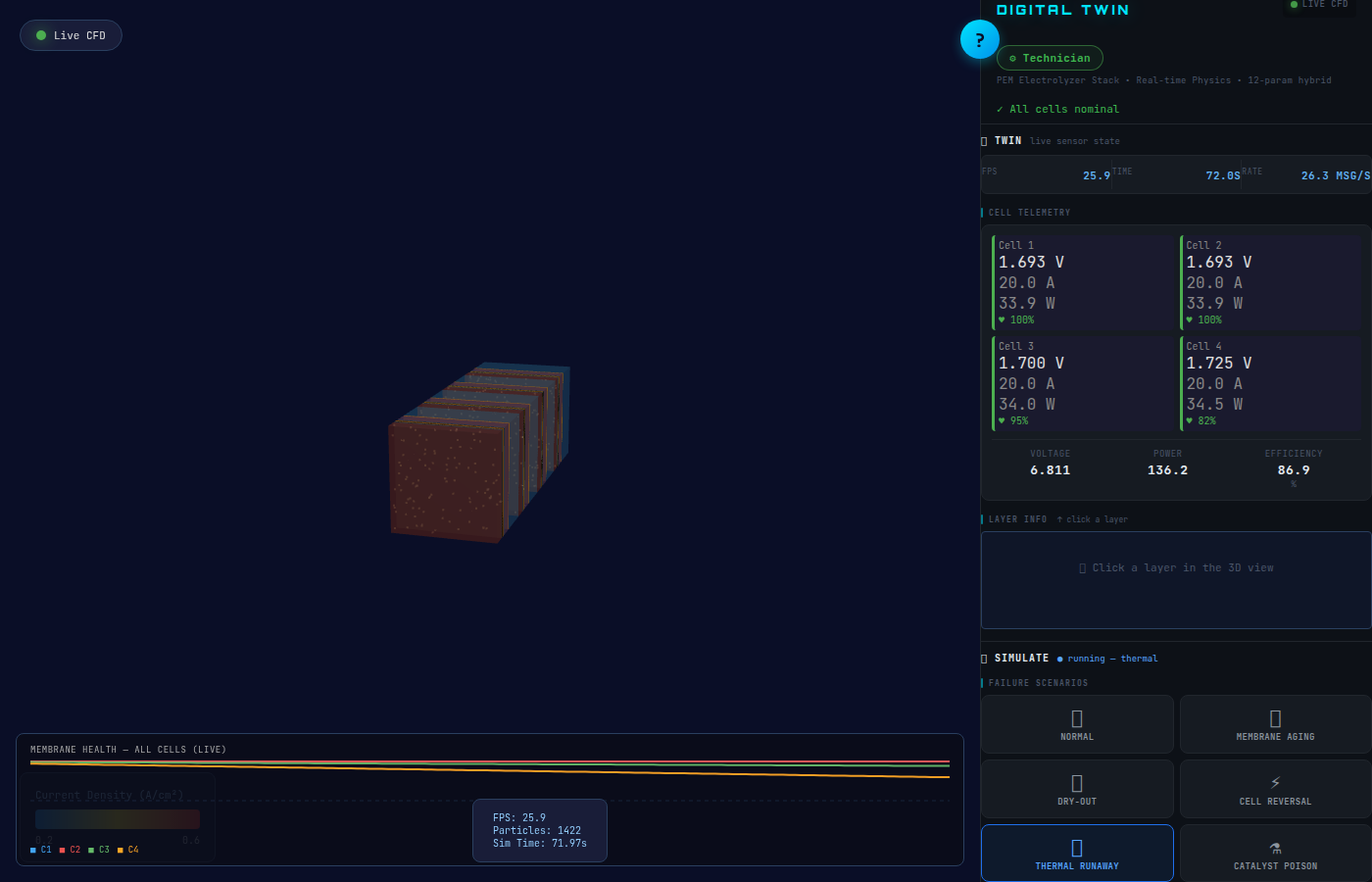
Your model, detecting a fault it was never told about. The PREDICT panel raises ⚠️ “Cell 3 membrane wearing out” from live sensor values — without ever reading which scenario button was clicked. Cell 4 health has fallen to 82%; the FIX panel is ready to act.
Connecting to Your Model
The backend uses the MODEL_PATH environment variable:
PINN_MODEL_PATH = os.environ.get(
    'MODEL_PATH',
    str(Path(__file__).parent.parent.parent / 'demonstrators' / 'student_model.pt')
)
The notebook cell sets MODEL_PATH=results/best_12param.pt — your freshly trained checkpoint —
without any backend code changes.
Exercises
Exercise 1 — Fault detection from sensors alone
Select the Technician role (gear icon → Technician)
Click Thermal Runaway in the SIMULATE panel
Watch the PREDICT panel — does it detect “thermal” or “runaway” from sensor data alone?
Note: PREDICT never sees which scenario button you clicked
Exercise 2 — Apply Fix and observe trajectory
Start Membrane Dry-out
Wait for PREDICT to recommend a fix
Click ⚡ APPLY FIX in the FIX panel
Watch the health chart: solid lines (actual) bend upward; dashed lines project where health would have gone without the fix
Exercise 3 — Export telemetry to pandas
Run a scenario for 30 seconds
Click Export Replay (top bar) — downloads
replay.jsonLoad it back into a notebook cell:
import json, pandas as pd
with open('replay.json') as f:
    frames = json.load(f)
df = pd.DataFrame([
    {'tick': fr['tick'], 'cell': ci, 'health': c['membraneHealth']}
    for fr in frames
    for ci, c in enumerate(fr['state']['cells'])
])
df.pivot(index='tick', columns='cell', values='health').plot()